Short answer
Voice AI for HR can make employee listening easier when speech is an optional input channel and the resulting text remains reviewable. It should not replace text or human support for everyone. Buyers need to test recognition in real work conditions, let participants correct or clarify the record, and keep analysis tied to what was said rather than tone, pace, accent or other vocal characteristics.
“Voice AI” describes three different functions
Start by asking a vendor which layer is actually included:
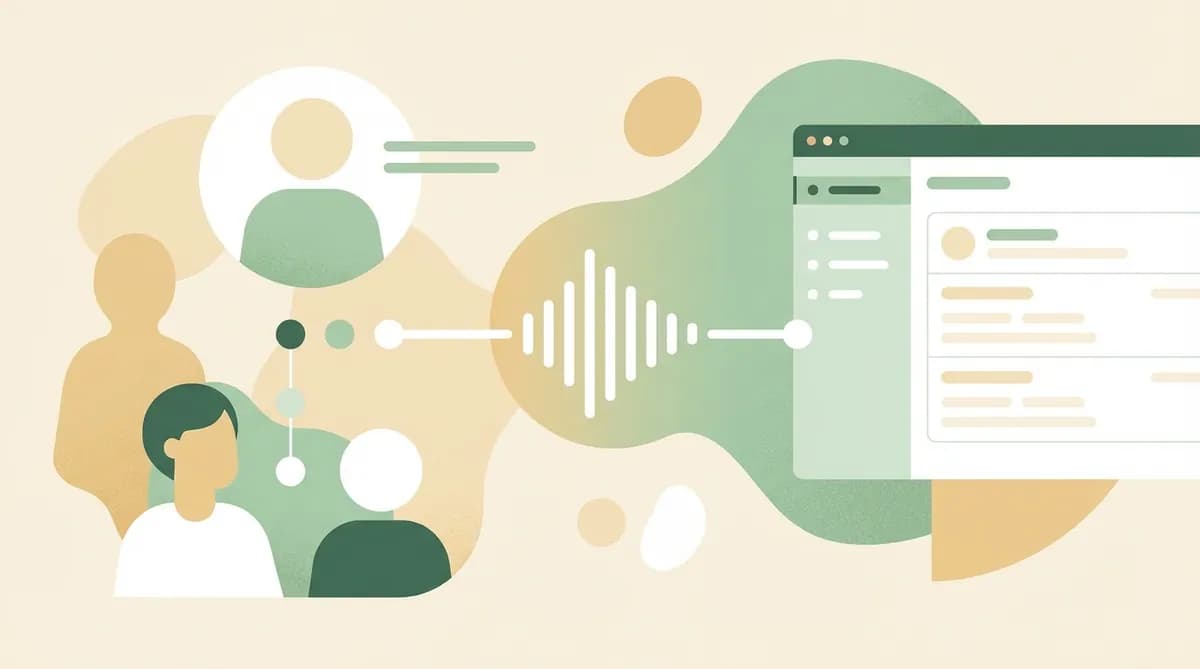
- Dictation: the employee speaks and speech recognition turns the answer into text.
- Spoken dialogue: the system presents questions aloud, receives spoken answers and conducts the exchange without typing.
- Audio-derived analysis: the system uses properties of the recording to infer emotion, personality or another trait.
These are not interchangeable. Dictation can reduce typing effort while leaving a visible text answer. Spoken dialogue adds audio output, turn-taking and more failure points. Audio-derived inferences introduce a different claim about people and should stay outside an employee-listening workflow. Evaluate the words and their context, not vocal characteristics.
This guide focuses on channel choice and evidence quality. For the wider difference between HR helpdesks and guided listening, read Conversational AI for HR. For commissioning the overall interview, use the automated HR interview checklist.
Choose a channel for the task and setting
Speech is an option, not a universal accessibility solution. The W3C Web Accessibility Initiative notes that people use keyboards, touch, speech recognition and other input methods according to their needs. It also stresses clear errors and ways to correct input in its guidance on input methods.
Use this worksheet for each participant group:
| Question | Dictation may help when | Text or human support may be better when |
|---|---|---|
| Work setting | A private, quiet space and suitable device are available | The workplace is noisy, shared or lacks privacy |
| Physical access | Speaking reduces a participant's typing burden | Speech is difficult, tiring or inappropriate for the participant |
| Reading and correction | The transcript can be reviewed and edited | The person cannot easily inspect the resulting text |
| Language and accent | Recognition has been tested for the configured language and actual speakers | Accuracy is unknown or correction effort is high |
| Connectivity | Audio input works reliably on the available connection | Dropouts interrupt turns or lose content |
| Topic sensitivity | The participant chooses speech with a clear understanding of the process | Being overheard could change what the person says |
| Assistive technology | The flow works with the tools the participant already uses | Controls conflict with a screen reader, switch or speech input tool |
Do not record “did not complete” as “did not want to participate” until access failures are separated. Offer a visible channel switch and a route to a person.
Test capture before testing insight
An attractive summary is irrelevant if the transcript changes the source. Test speech capture with the people, devices and settings in the intended pilot.
Build a small test set of consented, task-relevant utterances. Include job terms, site names, acronyms, numbers, pauses and self-corrections. Invite speakers with varied accents and speech patterns from the intended population. Do not use a generic demonstration recording as proof of performance in your context.
For every test answer, record:
- whether the participant completed it without help;
- whether the transcript preserved the material meaning;
- which words the participant or reviewer corrected;
- whether the correction control was understandable and usable;
- whether noise, device or connection affected the result;
- whether the participant switched to text or human support;
- whether any later theme still linked to the corrected source.
The UK government's responsible AI in recruitment guidance warns that tools using speech or voice data may perform differently across groups and calls for testing by characteristics including disability. Although an employee-listening pilot is different from recruitment, the practical lesson applies: evaluate the actual population and preserve alternative routes. US buyers should also assess accommodation duties for their context.
Give the participant control over the text record
A defensible workflow makes the transformation from speech to text visible. Before launch, answer these questions:
- Does the participant know when speech is being captured?
- Can they see, hear back or otherwise inspect the text that will be used?
- Can they correct a name, number or sentence without restarting?
- Can they switch from speech to typing during the same exchange?
- What happens when recognition confidence is low or the connection fails?
- Is the audio retained, and if so, for what purpose and period?
- Which source does a later reviewer inspect: audio, initial transcript or corrected text?
- How can a participant ask for help or challenge the record?
Do not accept “the model handles it” as an answer. Ask the vendor to demonstrate a failed recognition, a correction and the source shown to a reviewer.
Review claims against the source
Speech-to-text creates a source record, not a conclusion. A useful review table keeps each step explicit:
| Review item | What to capture | Human check |
|---|---|---|
| Corrected response | The participant's final words | Did capture preserve the intended meaning? |
| Context | Question, follow-up and relevant preceding answer | Was the passage read in context? |
| Proposed theme | A concise description of the issue | Does the source support it, partly support it or leave it unresolved? |
| Missing evidence | Document, example or perspective not available | What needs to be checked before action? |
| Decision | Action, further inquiry or no change | Who owns it, and how will participants hear back? |
The NIST AI Risk Management Framework Core calls for documented scope, knowledge limits, human oversight and evaluation in conditions similar to deployment. In practice, retain reviewer corrections and unresolved items. They reveal more about readiness than a polished sample summary.
Fictional example: a field-service check-in
Imagine a fictional US field-service company inviting 24 technicians to a short onboarding check-in. The team wants to learn where work-order instructions are unclear. The invitation explains the purpose, the review owner and the available channels. Employees may dictate, type or ask for a human conversation.
Some technicians dictate from a quiet room after a shift; others choose text because they are in a shared depot. One dictated answer turns a product code into an ordinary word. The participant corrects the text before submitting. A follow-up asks where the unclear instruction appears, and the technician names the relevant work-order section.
The onboarding owner sees the corrected response and its question context. She compares the cited section with the current training note, then records whether to revise the wording, gather another example or leave it unchanged. No conclusion is drawn from the technician's accent, tone or pace. Completion alone does not count as proof that the channel worked for everyone; access failures and switches are reviewed separately.
A buyer's demonstration script
Ask vendors to run these tasks live:
- dictate a sentence containing a site name, number and self-correction;
- edit one recognition error and confirm which version reaches analysis;
- switch from dictation to typing without losing the earlier answer;
- show what happens after a network interruption;
- use the interface with keyboard navigation and relevant assistive technology;
- trace one generated theme back to the corrected words and question context;
- remove an unsupported inference and retain the review record;
- show the access, retention and deletion settings that apply to the pilot.
Apply the ICO's AI and data protection guidance to the actual data flow. The lawful basis, transparency, retention and risk assessment depend on the organization, jurisdiction and use case, so procurement and legal owners should document their decisions.
Where Lontra fits
Lontra's current public conversation flow lets invited employees type or use dictation in the configured language. The conversation can ask follow-up questions and request examples. Its analysis is based on what was said, never on how it sounded. Managers receive a prepared brief rather than raw employee responses, while HR views grouped results only when at least five people responded.
The Lontra product overview explains that conversation and review model. A trial covers one campaign with up to 30 invitations for 60 days and does not require a payment card. Before using dictation in a real pilot, verify the current language configuration and run the capture, correction and source-review tests above with the intended participants.