Your hiring plan says one thing. Your managers say another. Finance wants cost certainty, operations wants coverage, and the executive committee wants to know whether the organization can deliver next year's strategy without adding unnecessary headcount.
That is the daily problem workforce planning software is supposed to solve. Not dashboards for their own sake. Not a cleaner spreadsheet. The real question is sharper: do you understand the workforce you already have well enough to decide where to hire, where to reskill, where to move people, and where to protect critical know-how before it disappears?
Most workforce plans still break at the same point. They model roles, costs, locations, and vacancies, but they miss the living reality of work: what people actually know, what blocks them, what they are ready to learn, what managers quietly compensate for, and which teams have developed a way of working others could copy.
That missing layer is why the next generation of workforce planning software will not be judged only by forecasting models. It will be judged by its ability to make the organization queryable.
What is workforce planning software?
Workforce planning software helps HR, finance, and business leaders align people capacity, skills, cost, and organizational structure with business goals. Good platforms support scenario planning, headcount forecasting, skills gap analysis, mobility planning, and decision workflows so leaders can act before gaps become operational constraints.
The category has matured. Established platforms now cover many of the quantitative foundations. Orgvue emphasizes strategic workforce alignment, role baselines, organizational modeling, and continuous replanning. Anaplan focuses on connected planning across functions and scenario modeling. Workday Adaptive Planning positions workforce planning around HR, finance, and operations collaboration, including headcount, cost, and talent planning. Productive's comparison guide reflects another part of the market: resource planning, utilization, payroll adjacency, and project capacity.
Those capabilities matter. A CHRO cannot run workforce planning from anecdotes alone. But a clean plan built on cold data still has blind spots.
Cold data tells you who is employed, where they sit, what their role is called, what skills they have declared, and what budget line they belong to. Live data tells you what they are experiencing, what work actually requires, where know-how sits, why teams struggle, and what would make mobility or reskilling credible.
The best workforce planning tools need both.
Why traditional workforce planning fails under pressure
Workforce planning often looks credible until the market changes. Then the weaknesses become visible.
A spreadsheet can hold headcount assumptions, but it cannot explain why a region keeps missing ramp-up. A skills taxonomy can map capabilities, but it cannot tell whether employees believe the adjacent role is attractive, realistic, or supported by their manager. A performance record can show outcomes, but it rarely captures the craft behind strong performance.
Recent labor signals make this harder. HR Dive reported on Monster's 2026 State of the Graduate Report that 67% of new graduates would accept lower pay for more long-term job security, while salary remained the top consideration for 68% of respondents. That is not a minor preference shift. It means early-career talent is evaluating employers through stability, uncertainty, and future employability at the same time.
At the same moment, AI is changing role design, entry-level pathways, and reskilling urgency. HR Executive covered a U.S. Department of Labor initiative designed to broaden access to AI skills-building through text-based training. The signal is clear: workforce planning is no longer only about replacing open roles. It is about understanding which work is changing, which capabilities can be built internally, and how employees interpret the path ahead.
The old planning rhythm cannot keep up. Annual cycles freeze assumptions too early. Standardized forms flatten nuance. One-off manager interviews overrepresent the loudest or most available voices. Talent marketplaces show possible movement, but not always whether the person, team, and context make that movement realistic.
For a deeper strategic framework, read our pillar guide: Workforce Planning: The Complete Guide for 2026.
What current workforce planning software gets right
The strongest workforce planning software usually improves five things.
First, it creates a shared baseline. HR, finance, and operations stop debating different versions of headcount, cost, vacancies, and organizational structure. Workday describes this as bringing HR, finance, and operations together in one platform for workforce plans. Orgvue similarly emphasizes a planning baseline that segments workforce data into roles, job families, levels, costs, and headcount.
Second, it supports scenario planning. Leaders can compare hiring, redeployment, outsourcing, automation, and reskilling assumptions before committing budget.
Third, it exposes gaps. The organization can see where demand exceeds supply, where retirements or attrition may create risk, and where critical skills are thin.
Fourth, it improves collaboration. Workforce planning is not an HR-only exercise. Finance needs cost visibility. Operations needs capacity. Business leaders need trade-offs they can understand.
Fifth, it shortens the plan-review-act loop. Workday cites average customer results including shorter planning cycle times and productivity gains, based on its workforce planning customers. Whether a buyer accepts vendor-reported benchmarks or not, the direction is right: planning must become more continuous.
But none of these strengths answer the deeper question alone: what does the organization know that is not captured in systems of record?
The missing layer: live qualitative workforce data
Workforce planning software becomes more useful when it combines quantitative planning data with live qualitative signals from employees. Headcount, cost, skills, and structure show the formal organization. Conversations reveal how work actually happens, where capability exists, what prevents mobility, and which team practices can be transmitted elsewhere.
This is where many planning programs stall. HR systems record the role. Learning systems record the course. Talent systems record the profile. Finance records the cost. None of them reliably captures the sentence a high-performing store manager would say when asked, "What do your best people do differently during peak pressure?"
That sentence is workforce planning data.
It can explain why one team absorbs change while another burns out. It can reveal that a role is not under-skilled but under-supported. It can show that the limiting factor is not hiring volume but manager confidence, local onboarding, scheduling predictability, tool adoption, or unspoken know-how.
A better approach: make the organization queryable
The alternative is not to replace workforce planning software. It is to enrich it with a living memory of the organization.
Adaptive individual conversations can capture qualitative data continuously, in the employee's preferred language and format. Instead of asking everyone the same static questions, the conversation adapts to the person's role, context, previous answers, and the business topic being explored. The result is not a pile of comments. It is structured workforce intelligence that leaders can query.
A CHRO should be able to ask:
- Which roles are most exposed to operational change, and why?
- Where do employees see credible internal mobility paths?
- Which teams have developed practices others could learn from?
- What blocks reskilling: time, confidence, manager support, unclear incentives, or workload?
- Which workforce risks are visible in conversations before they appear in attrition data?
- What knowledge would we lose if experienced employees left this quarter?
This is the Craft Intelligence angle: the organization is not only a chart of positions. It is a living system of practices, language, judgment, and tacit knowledge. Workforce planning becomes stronger when that craft is captured, structured, and transmitted.
Signals inform human decisions; they do not replace them. The point is not to let software decide who moves, who learns, or who leaves. The point is to give leaders better evidence before they make those decisions.
A concrete anonymized example
In a large distributed workforce, leadership had a familiar planning problem. Some locations were consistently outperforming comparable locations, despite similar staffing models, similar role structures, and similar central processes. The workforce plan showed capacity differences, but it did not explain the performance gap.
The first instinct was to add more standardized reporting. That would have produced more declarations, but not necessarily more understanding. Instead, the organization used adaptive individual conversations to listen across roles and locations.
What emerged was not a single cause. Stronger teams had developed practical routines: how experienced employees coached newcomers during busy periods, how managers explained priorities at the start of shifts, how local leaders detected confusion before it became disengagement, and which small rituals made employees feel secure enough to ask for help.
Those signals changed the planning conversation. The issue was no longer only "how many people do we need?" It became "which know-how must we transmit, where, and through which managers?" Workforce planning moved from capacity allocation to capability transfer.
The organization could then identify teams that needed targeted support, not generic training. It could protect critical local knowledge. It could design internal mobility with a better understanding of what success in the next role actually required.
In an anonymized case, completion multiplied by 4 by moving from declarative formats to adaptive individual conversations.
Anonymized case
How to evaluate workforce planning software in 2026
Use this checklist when comparing workforce planning tools.
1. Does it connect HR, finance, and operations?
Workforce planning fails when each function optimizes a different plan. The tool should connect headcount, cost, vacancies, role architecture, demand assumptions, and business priorities. If finance cannot trust the numbers or operations cannot use the outputs, the plan will not survive execution.
2. Does it support scenario planning without hiding assumptions?
Scenario planning is useful only when leaders can see the assumptions behind each path. A good platform lets teams compare hiring, internal mobility, reskilling, restructuring, and contractor scenarios while keeping the trade-offs visible. The model should support judgment, not obscure it.
3. Does it distinguish declared skills from demonstrated know-how?
Declared skills are useful, but incomplete. Workforce planning needs evidence from work: project history, manager observations, peer knowledge, customer context, and employee conversations. The question is not only "who says they can do this?" It is "where has this capability already appeared?"
4. Does it capture live qualitative signals?
If the platform relies only on HRIS fields, forms, and periodic campaigns, it will miss weak signals. Look for ways to capture employee voice through adaptive conversations, then structure those insights into themes, risks, practices, and decision-ready evidence.
5. Does it support internal mobility as a business lever?
HR Executive recently described internal mobility as a business imperative, noting that companies face skills gaps they cannot always fill externally and do not want to lose institutional knowledge. Workforce planning software should therefore help leaders see adjacent roles, readiness gaps, manager support needs, and the human conditions required for movement.
6. Does it protect trust?
Workforce data is sensitive because it shapes careers, budgets, and organizational choices. Buyers should examine data residency, access controls, GDPR alignment, explainability, and governance. If employees believe the system is being used against them, signal quality will deteriorate.
7. Does it help transmit know-how?
Most workforce planning tools stop at identifying gaps. The stronger question is what happens next. If one team has a practice others need, can the organization capture it, package it, and transmit it in formats people will actually use? Planning should connect to learning, communication, onboarding, and manager enablement.
Workforce planning software comparison: classic vs live-signal approach
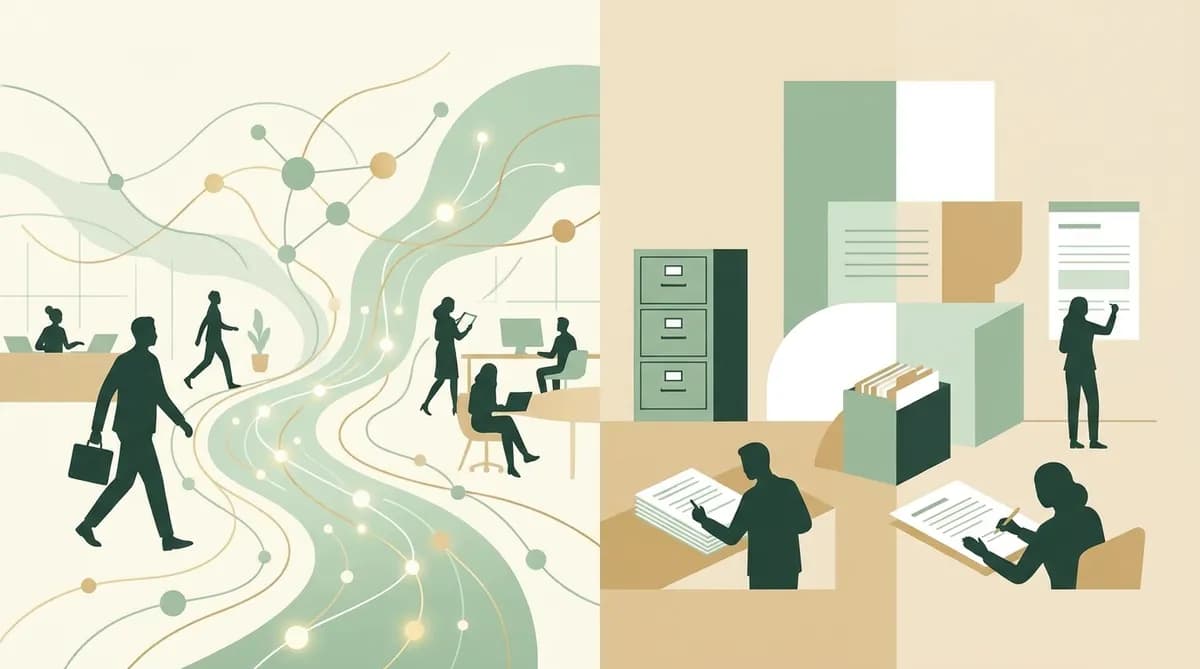
Classic workforce planning software is strong at modeling the formal organization: headcount, cost, roles, locations, vacancies, and forecast gaps. It helps leaders align capacity with business strategy. Its weakness is that it often treats people data as static, declared, and already structured.
A live-signal approach adds the missing context: employee conversations, tacit know-how, blockers, motivation, mobility readiness, and team practices. It turns workforce planning from a periodic modeling exercise into a continuous learning system. The organization becomes easier to query because its lived experience is captured as usable memory.
The choice is not either-or. Enterprises need planning models and living workforce intelligence. The risk is buying the model and assuming the memory will somehow appear later.
Where workforce planning software fits in the HR tech stack
Workforce planning software should sit between strategy, HR operations, and workforce intelligence.
The HRIS remains the system of record. Finance systems provide budget and cost controls. Talent management platforms support performance, mobility, and succession. Learning systems help deliver capability building. Engagement and conversation layers capture the reality of employee experience and know-how.
The planning layer should not pretend to be all of those systems. It should integrate enough data to support executive decisions, then push actions into the tools where work actually happens.
For industries with distributed teams, this matters even more. In retail, manufacturing, healthcare, services, and multi-site operations, the distance between headquarters assumptions and field reality can be wide. Workforce planning software has to hear the field, not only count it.
The CEO and CHRO question
The executive question is not "Which workforce planning software has the most features?" It is "Which platform will help us make better workforce decisions before the cost of delay becomes visible?"
A feature checklist can compare dashboards, models, integrations, and workflows. A better buying process tests decision quality. Take one real workforce question: a hiring freeze, a new operating model, an internal mobility push, a reskilling need, or a region with persistent performance variance. Then ask each vendor what evidence their platform would provide.
If the answer is only headcount, cost, and skills fields, you are still missing the organization itself.
Workforce planning in 2026 needs a richer data foundation: quantitative enough for finance, human enough for HR, operational enough for managers, and trustworthy enough for employees to contribute honestly. That is where Craft Intelligence changes the category. It turns employee conversations into living memory, reveals the specific know-how of the best teams, and helps transmit it to the teams that need it.
The workforce plan becomes less of a static document and more of a living capability.